

Payments
Accept stablecoin payments through the hosted Volt Checkout
Stablecoin payments let your customers pay with USDC or EURC on ETH, SOL, BASE, POLYGON, and BSC — inside the same Volt Checkout they already use. Volt generates the deposit address, watches the blockchain for the incoming funds, and reports the result back to you through the channels you already integrate with.
Stablecoin payments run on the Global API. If you are still on the legacy Gateway API, follow the before going live.
Before you can accept stablecoin payments, your account must be enabled and onboarded. See .
Fully compatible with fiat payments
Volt Stablecoins is designed to be fully compatible with your Volt experience. It only adds the option to pay by stablecoin on top of your current payments — nothing else changes:
- Payments are handled exactly as before.
- Notifications are sent exactly as before.
- The fiat payment statuses are the standard ones you already use, and they are also updated as the stablecoin payment progresses.
How a payment works
You redirect the customer to the hosted Volt Checkout page, exactly as for any other Volt payment.
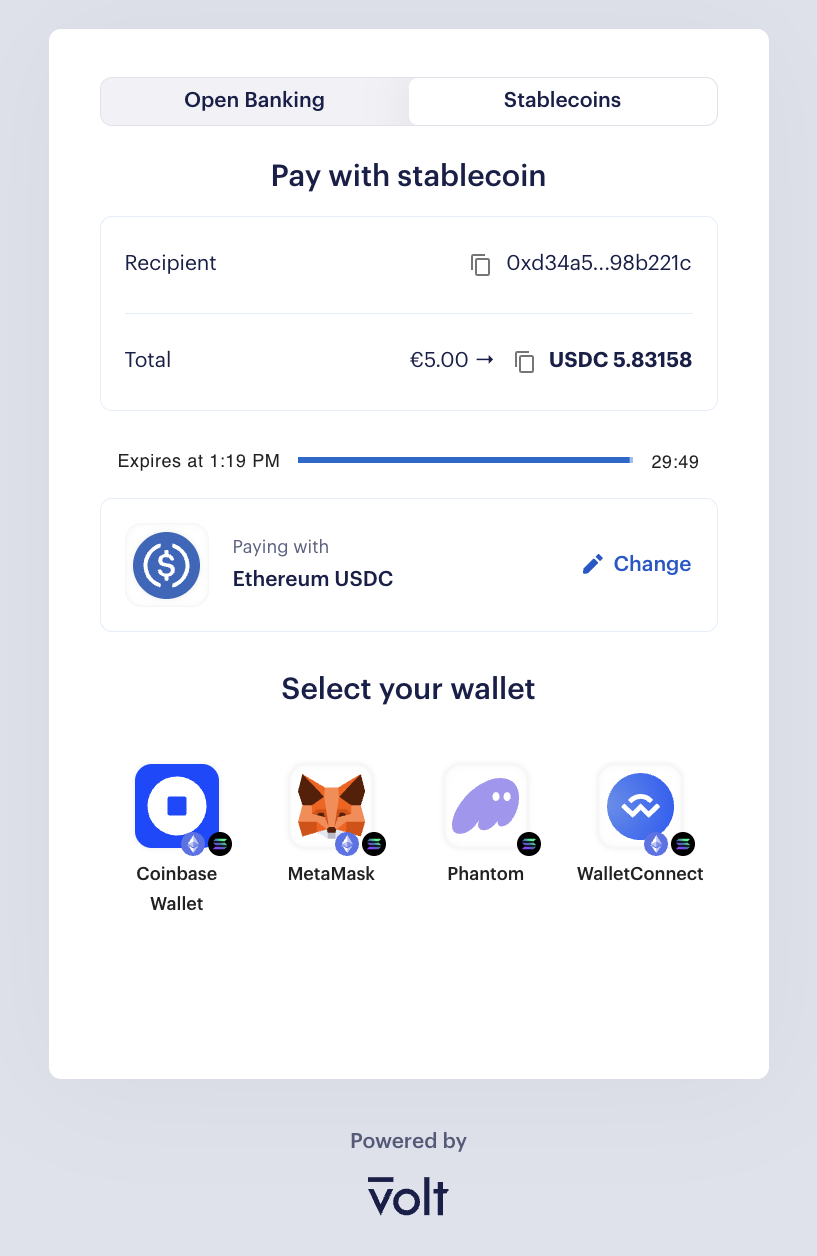
The customer selects the stablecoin option, picks a stablecoin and network, and is shown a deposit address and the exact amount to send.
The customer opens their wallet (mobile or browser) and confirms the transaction. Volt detects the on-chain transaction and waits for the required confirmations.
Volt updates the payment status and notifies you via webhooks, just like a regular payment.
The payment moves through a clear lifecycle — from NEW (awaiting funds) to COMPLETED once the expected amount is confirmed on chain. See for the full list, including partial-payment states such as OVERPAID and UNDERPAID.
What you need to send
Stablecoin payments reuse your existing payment request — you only need to make sure a few extra fields are present, which licensed-partner compliance requires.
| Section | Field | Requirement |
|---|---|---|
payer | reference | Required |
payer | firstName | Required for an individual payer |
payer | lastName | Required for an individual payer |
payer | organisationName | Required if the payer is a company |
payer | email | Required |
payer.additional | dateOfBirth | Required, format YYYY-MM-DD |
device | ip | Required |
{
  "payer": {
    "reference": "customer-123",
    "firstName": "John",
    "lastName": "Smith",
    "email": "john.smith@example.com",
    "additional": {
      "dateOfBirth": "1990-05-15"
    }
  },
  "device": {
    "ip": "203.0.113.42"
  }
}
For the full request schema, see the and .
Checking payment status
Beyond webhooks, you can pull the current status of a stablecoin payment at any time — including the on-chain transaction details Volt has observed.
GET /stablecoins/payment/{paymentId}/check{
"transactionDetected": true,
"transactionConfirmed": false,
"status": "PROCESSING",
"tokenSymbol": "USDC",
"expectedAmount": "100.00",
"actualAmount": "100.00",
"transactions": [
{
"txHash": "0x8f3c...a12b",
"senderAddresses": ["0xabc...def"],
"dateCreated": "2026-04-08T10:12:04Z",
"dateConfirmed": null,
"amount": "100.00",
"tokenSymbol": "USDC"
}
]
}Use transactionConfirmed (not just transactionDetected) before treating a payment as successful — it turns true only once an incoming transaction has reached the required confirmation depth. The full field and status reference lives in .
Viewing payments in Fuzebox
Stablecoin payments show up in Fuzebox just like any other payment. In the standard Payments section, a stablecoin payment is listed with Stablecoins in the Bank field, together with a link to the detailed information about the crypto payment. Only successful transactions will be listed here.
In addition, the Stablecoins section in Fuzebox has its own Payments tab that lists all stablecoin payments in one place, including unsuccessful attempts, like expired and underpaid payments.
Stablecoin only
If you want the checkout to show only the stablecoin option, add the cryptoOnly=true query parameter to the checkout URL:
https://checkout.volt.io/...?cryptoOnly=trueHow is this guide?
Last updated on