

Onboarding
Enable the Stablecoin product and complete partner onboarding before you go live
To enable Volt Stablecoins on your checkout, you need to complete a simple onboarding with our licensed partner. Because Volt delivers stablecoin services through a partner, this includes accepting their terms and passing additional KYC.
Steps
Contact Volt Technical Support at support@volt.io to activate the Stablecoin product for your Fuzebox account.
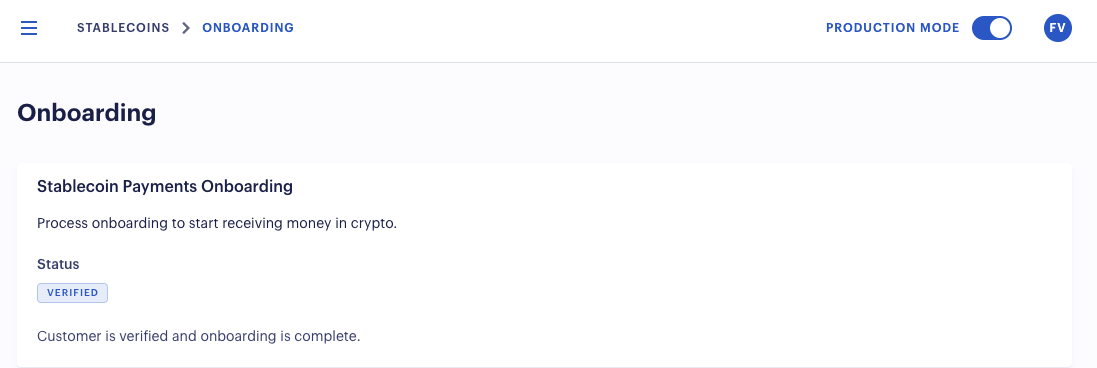
Complete onboarding in Fuzebox. Once the product is activated, an Onboarding section will appear in Fuzebox. From there, you can start the onboarding. A link will lead you through accepting the terms and conditions of our partner and submitting documentation for their KYC.
Wait for approval. Our partner reviews your application. Once it is approved, your account is ready and your wallets are created automatically. Given all documents have been submitted correctly, you should receive approval within 1-2 business days.
Your wallets
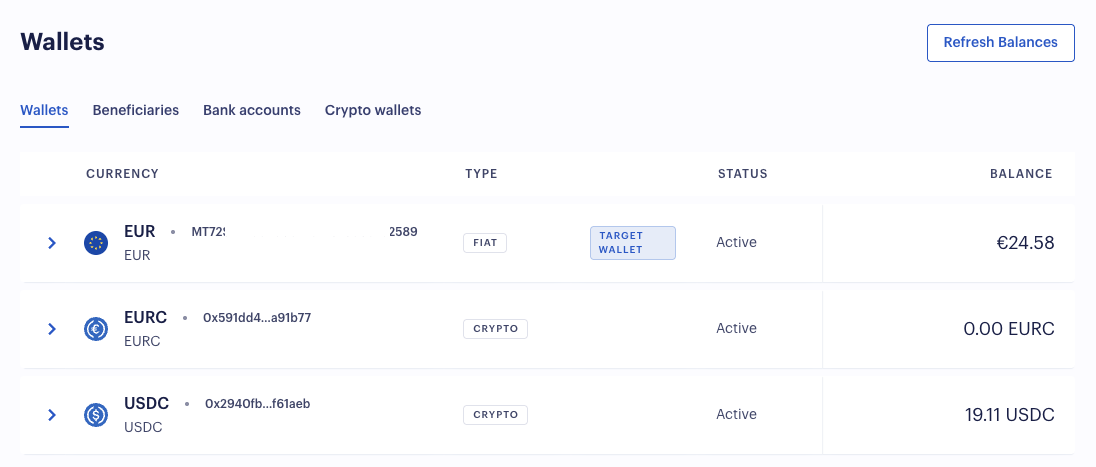
After approval, three wallets are created for you in the Wallets section in Fuzebox:
| Wallet | Type |
|---|---|
| USDC | Stablecoin |
| EURC | Stablecoin |
| EUR | Fiat (default) |
Target wallet
One of these wallets must be marked as the target wallet — by default this is EUR. The target wallet is where the funds from your future payments land.
If a payment is made in a currency other than the target wallet's currency, it is automatically converted into the target currency. For example, with EUR as the target wallet, an incoming USDC payment is automatically converted to EUR and credited to the EUR wallet.
Fees may vary depending on this setup. Make sure your target wallet setting aligns with your business objective. If you are unsure which fees apply, speak to your contact at Volt or email support@volt.io.
You can change which wallet is the target wallet in Fuzebox. The collected balances are then moved to your own account through .
How is this guide?
Last updated on