

Payments
Integrate stablecoin payments into your Volt Checkout flow
Overview
Stablecoin payments are created and tracked the same way as any other Volt payment — through the Global API and a redirect to the hosted Volt Checkout, following the hosted checkout guide. This page covers what's specific to stablecoins; for the conceptual flow, see Payments in the integration overview.
Prerequisites
Stablecoin payments run on the Global API. If you are still on the legacy Gateway API, follow the Migration guide before going live.
Before you can accept stablecoin payments, your account must be enabled and onboarded. See Onboarding.
Create the payment
Stablecoin payments reuse your existing payment request — you only need to make sure a few extra fields are present, which licensed-partner compliance requires, then redirect the customer to the returned Checkout URL exactly as for any other payment.
| Section | Field | Requirement |
|---|---|---|
payer | reference | Required |
payer | firstName | Required for an individual payer |
payer | lastName | Required for an individual payer |
payer | organisationName | Required if the payer is a company |
payer | email | Required |
payer.additional | dateOfBirth | Required, format YYYY-MM-DD |
device | ip | Required |
{
  "payer": {
    "reference": "customer-123",
    "firstName": "John",
    "lastName": "Smith",
    "email": "john.smith@example.com",
    "additional": {
      "dateOfBirth": "1990-05-15"
    }
  },
  "device": {
    "ip": "203.0.113.42"
  }
}
For the full request schema, see the Payments API reference and Requesting payment.
If you want the checkout to show only the stablecoin option, add the cryptoOnly=true query parameter to the checkout URL:
https://checkout.volt.io/...?cryptoOnly=true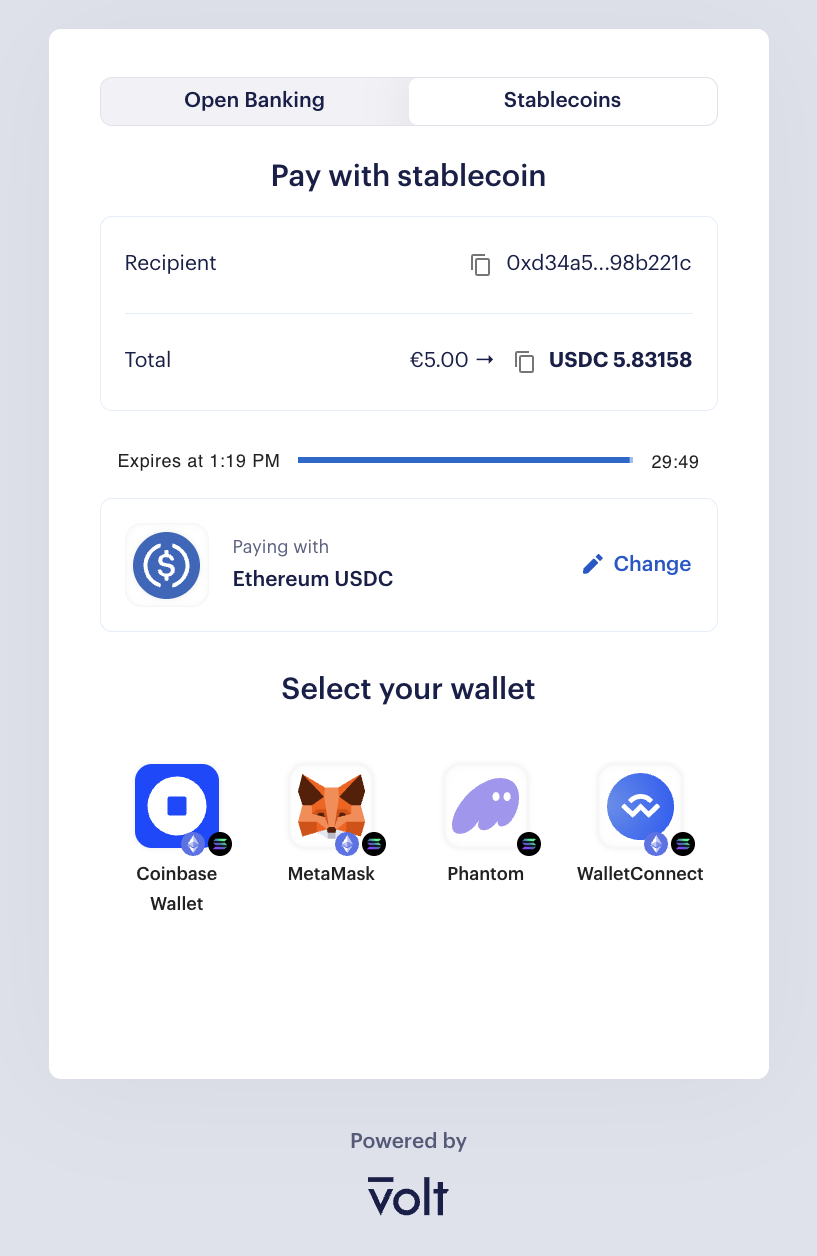
Track the result
Volt notifies you of status changes via the same webhooks you already use for payment updates — there's no separate stablecoin-specific event. The payment moves through a clear lifecycle, from NEW (awaiting funds) to COMPLETED once the expected amount is confirmed on-chain. See Payment statuses for the full list, including partial-payment states such as OVERPAID and UNDERPAID.
You can also inspect an individual payment in Fuzebox — see Payments in the integration overview.
Payment statuses
This section covers only the statuses for Stablecoin payments. The statuses for open banking payments remain unchanged and can be found in the Payments documentation.
| Status | Description |
|---|---|
NEW | Intent created; no on-chain activity yet. The payer has not sent funds. |
PROCESSING | One or more incoming transactions have been detected and are awaiting confirmations. |
OVERPAID | The payer sent more than the expected amount. Will trigger an auto-refund of the excess or require manual reconciliation. |
UNDERPAID | The payer sent less than the expected amount. Will trigger an auto-refund of the full amount or require manual reconciliation. |
COMPLETED | Expected amount received and confirmed. Terminal success state. |
EXPIRED | The payment time-window elapsed before the consumer confirmed the transaction. |
CANCELLED | The payment was cancelled before completion. |
FAILED | The payment failed due to an error. |
ON_HOLD | The payment is paused pending manual review. Can transition back to PROCESSING or to a terminal state. |
How is this guide?
Last updated on