

Refunds
Refunds via Fuzebox
How to request a refund using the Fuzebox portal.
Refunds via Fuzebox
Prerequisites
- Requesting Refunds will only be available for users with the FINANCIAL ADMIN permissions set
- Users requesting a Refund will need to have a two-factor authentication set up
- Requesting Refunds will only be possible for incoming gateway transactions in a RECEIVED or SETTLED status
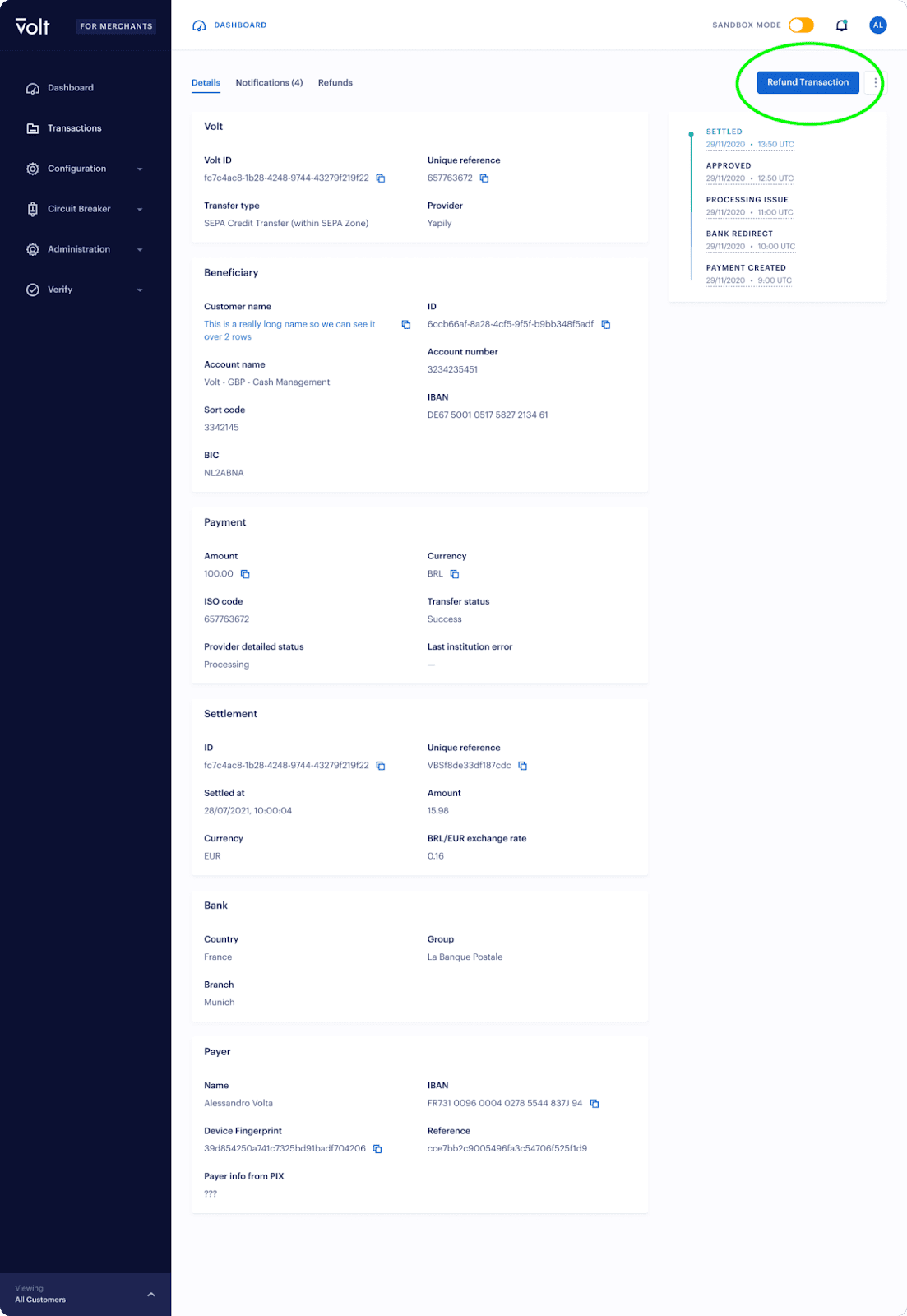
To request a Refund via Fuzebox, go to the transaction details screen and click on the "Refund Transaction" button. If the button is not visible, then a refund is not available for this payment or the user doesn't have the correct permissions.
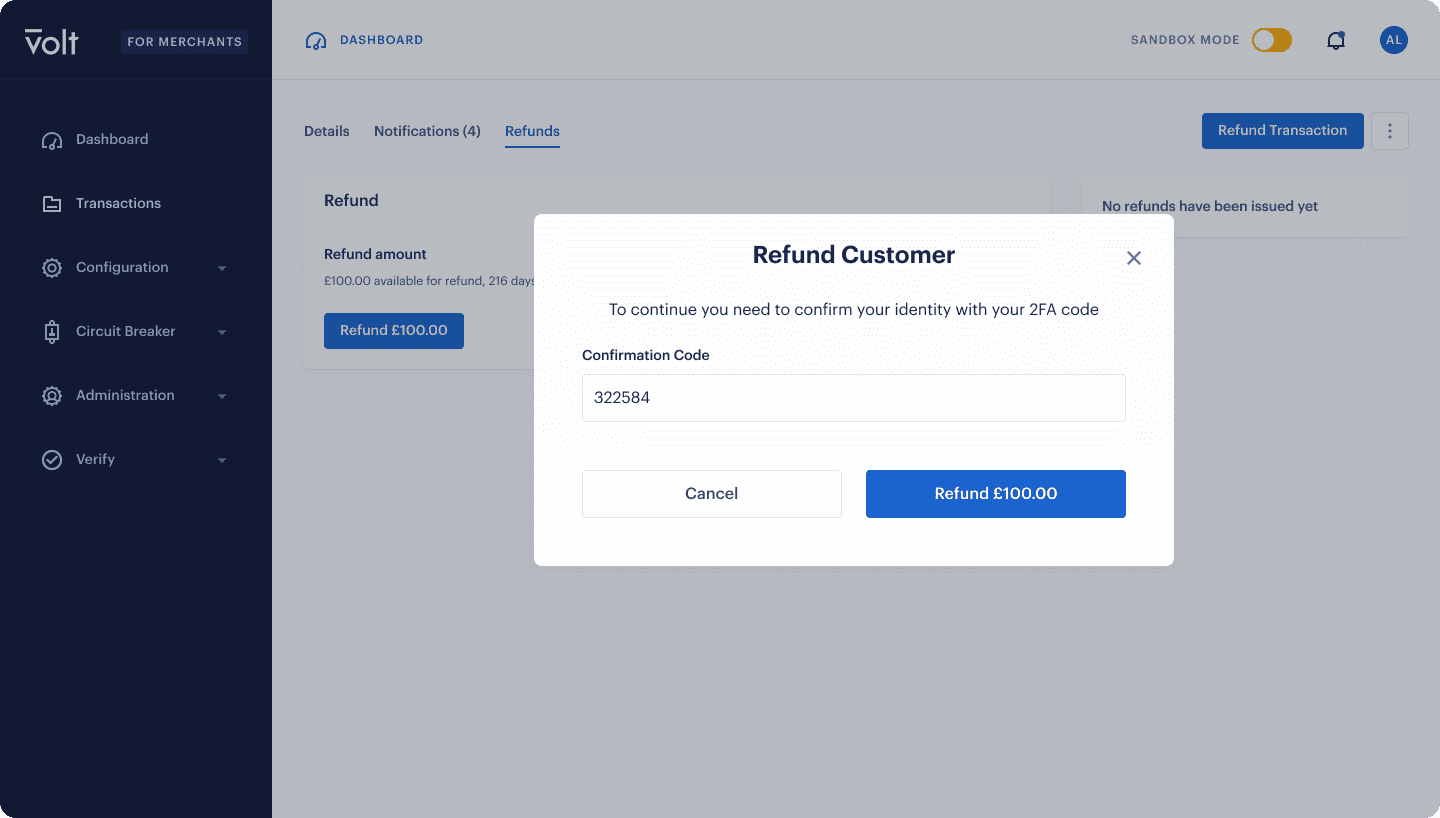
The refund has to be confirmed using two-factor authentication:
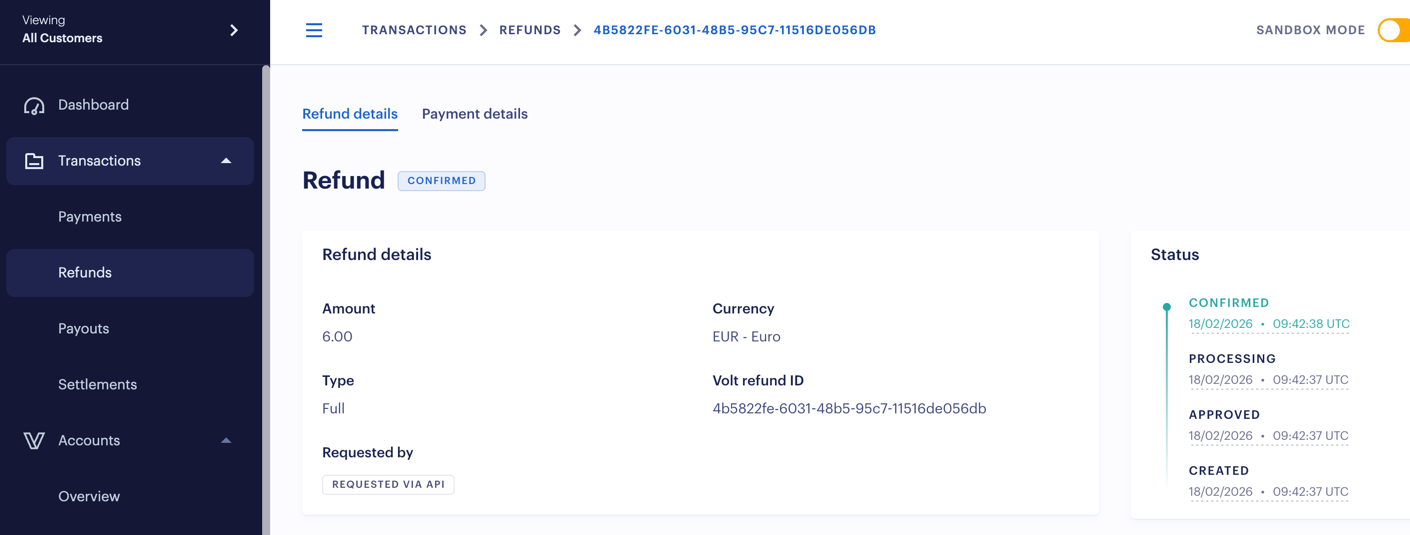
Refund details will be displayed in the refunds section:
How is this guide?
Last updated on