

Payouts via Fuzebox
Step-by-step guide on how to request payouts through the Fuzebox portal.
Prerequisites
- Requesting payouts will only be available for users with the applicable "Create and reject" permissions set
- Users requesting a payout will need to have a two-factor authentication set up
Payouts can be triggered via Fuzebox in a few simple steps.
Requesting Payouts and the ability to approve/reject will only be available for users with the relevant permissions set. Please contact support@volt.io if you don’t see this function in Fuzebox.
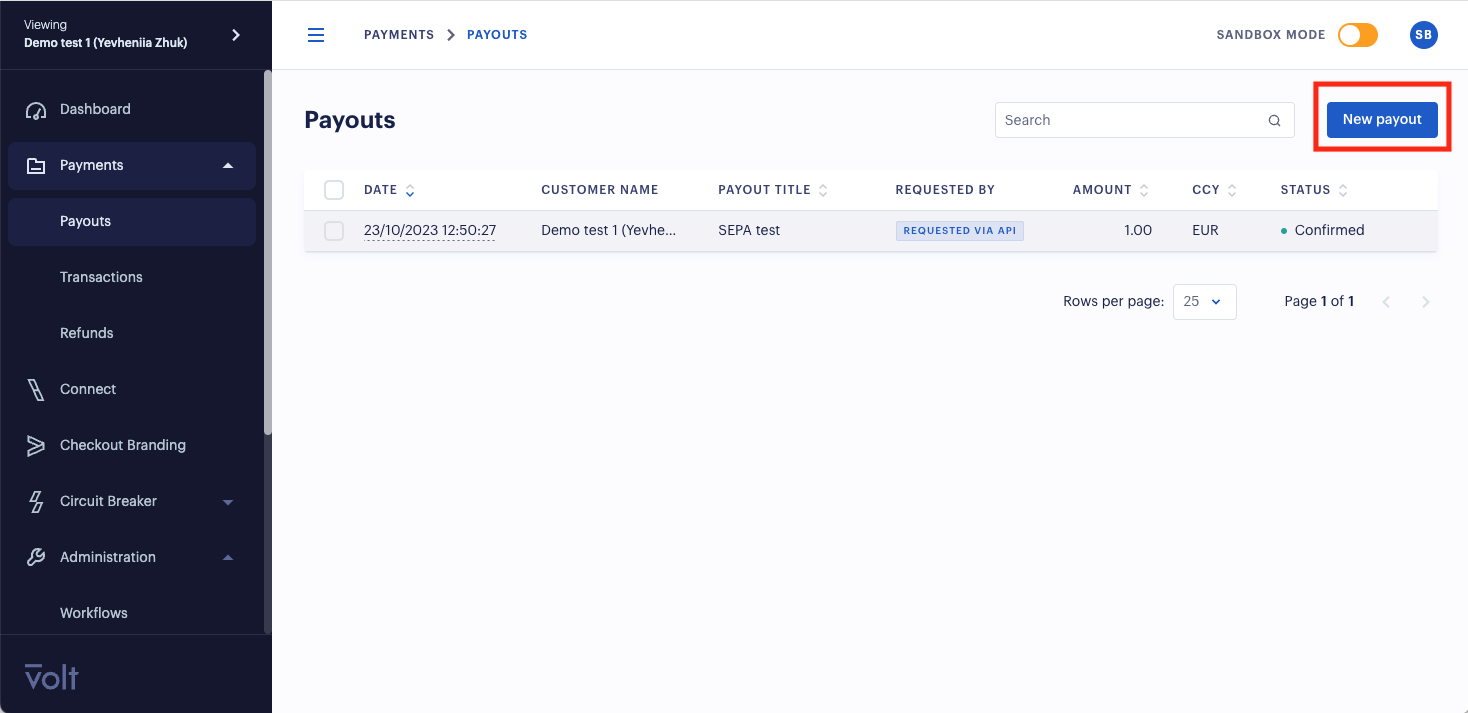
To request a payout, go to the Transactions > Payouts tab and click on the "New Payout" button.
Complete the Payout request form, including details of Payout title, amount and currency. If you are creating a "closed loop payout", you can search for the beneficiaries via IBAN or account name. The screenshot shows an example of searching via IBAN.
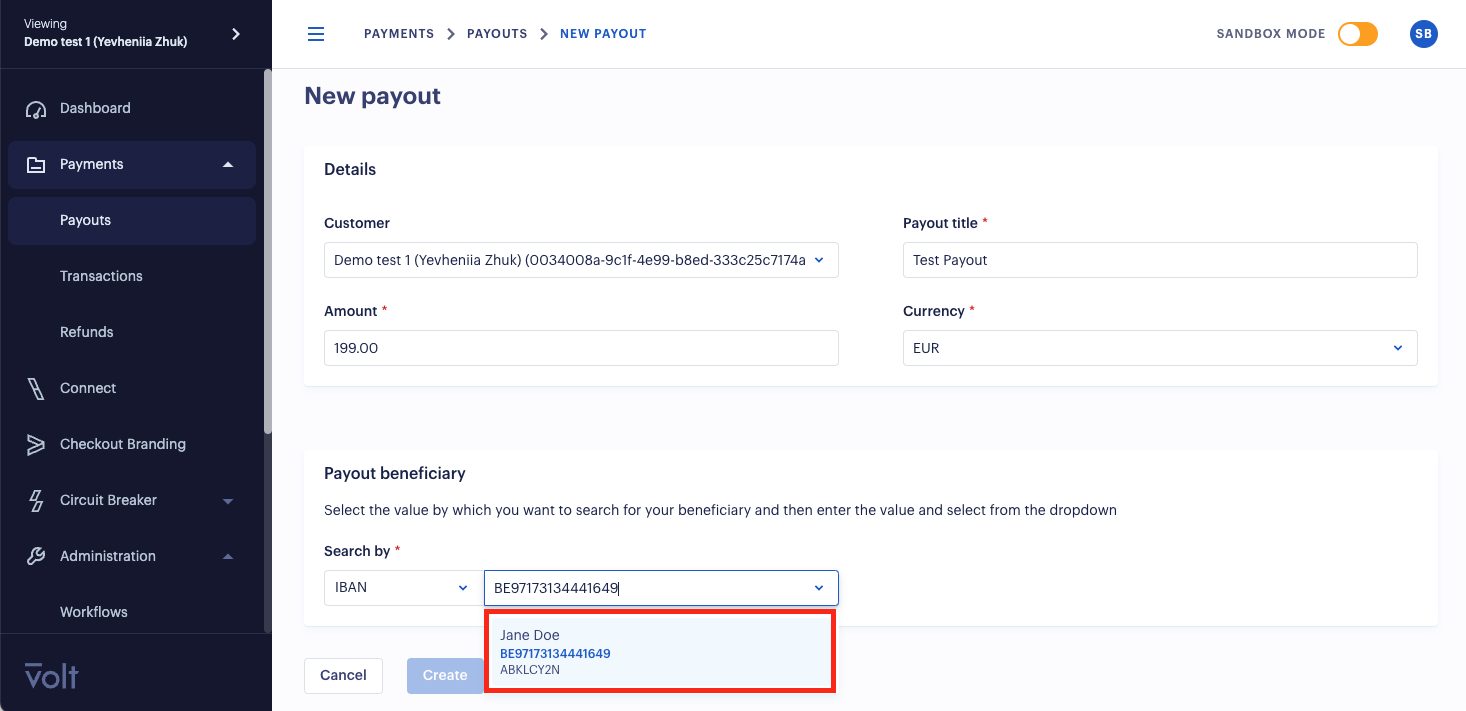
Once all of the details have been completed, the Payout can be created.
The Payout then moves into a status CREATED and requires an approval.
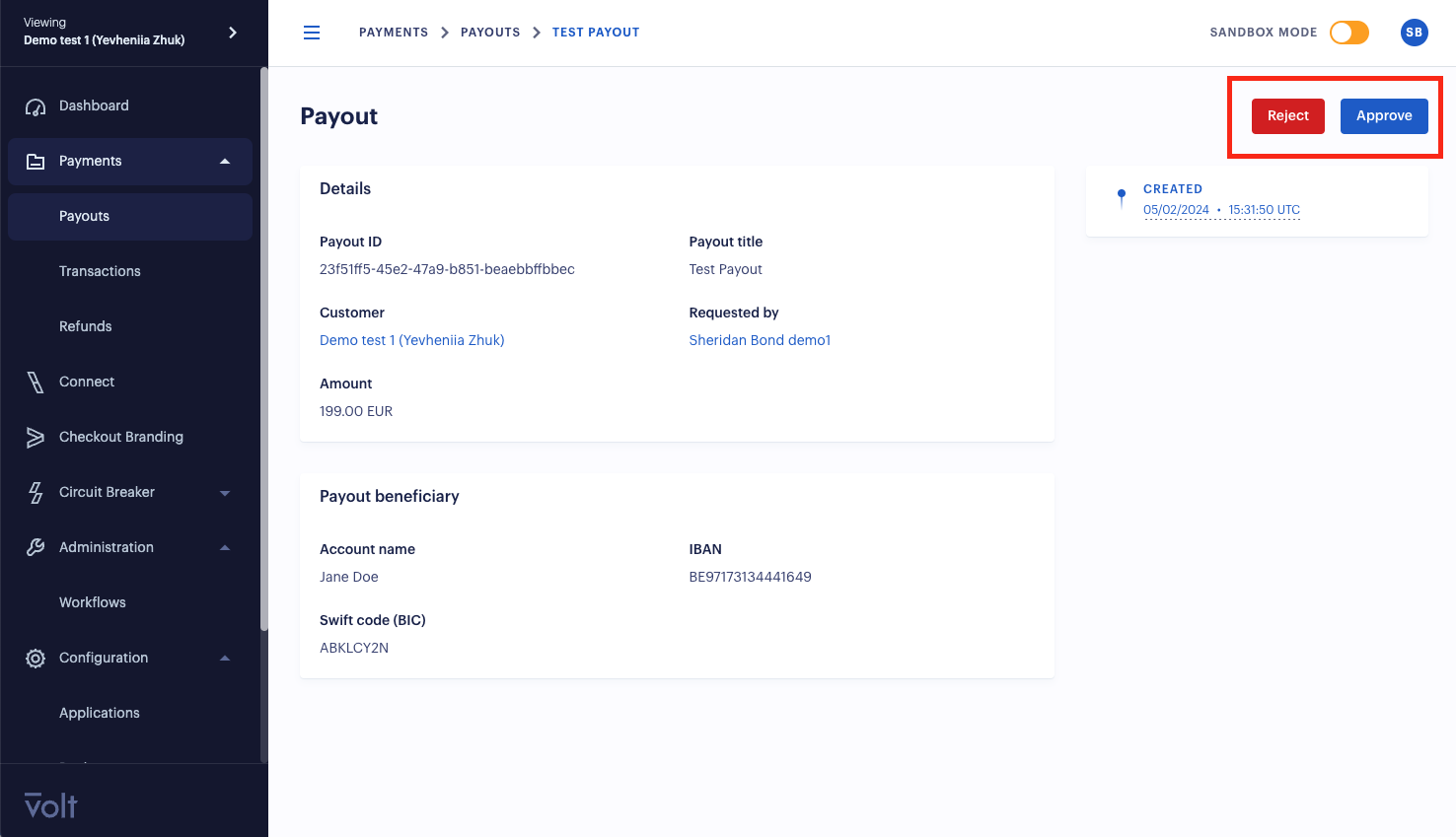
Once approved the Payout will be processed and the beneficiary will soon receive their funds.
How is this guide?
Last updated on